 Cool Eggs Game
Before you start
Your Egg must be a claimed NFT in your wallet, free of matchmaking or an active duel. Unclaimed Earn rewards cannot be sold. If your Egg is waiting for an opponent, leave matchmaking and wait for it to return to your wallet; if it is already paired, wait for the duel to settle.
Selling an Egg changes its owner, not its level or broken state. A broken Egg remains a collectible and cannot fight again.
Put your Egg on sale
-
Open Getgems and click Connect wallet. Choose the wallet that owns your Egg and approve the connection. On desktop, scan the QR code with your wallet or use its browser extension.
-
Open your profile: on the website, use the top-right menu → Open profile; in the Getgems Mini App, tap Profile at the bottom right.
-
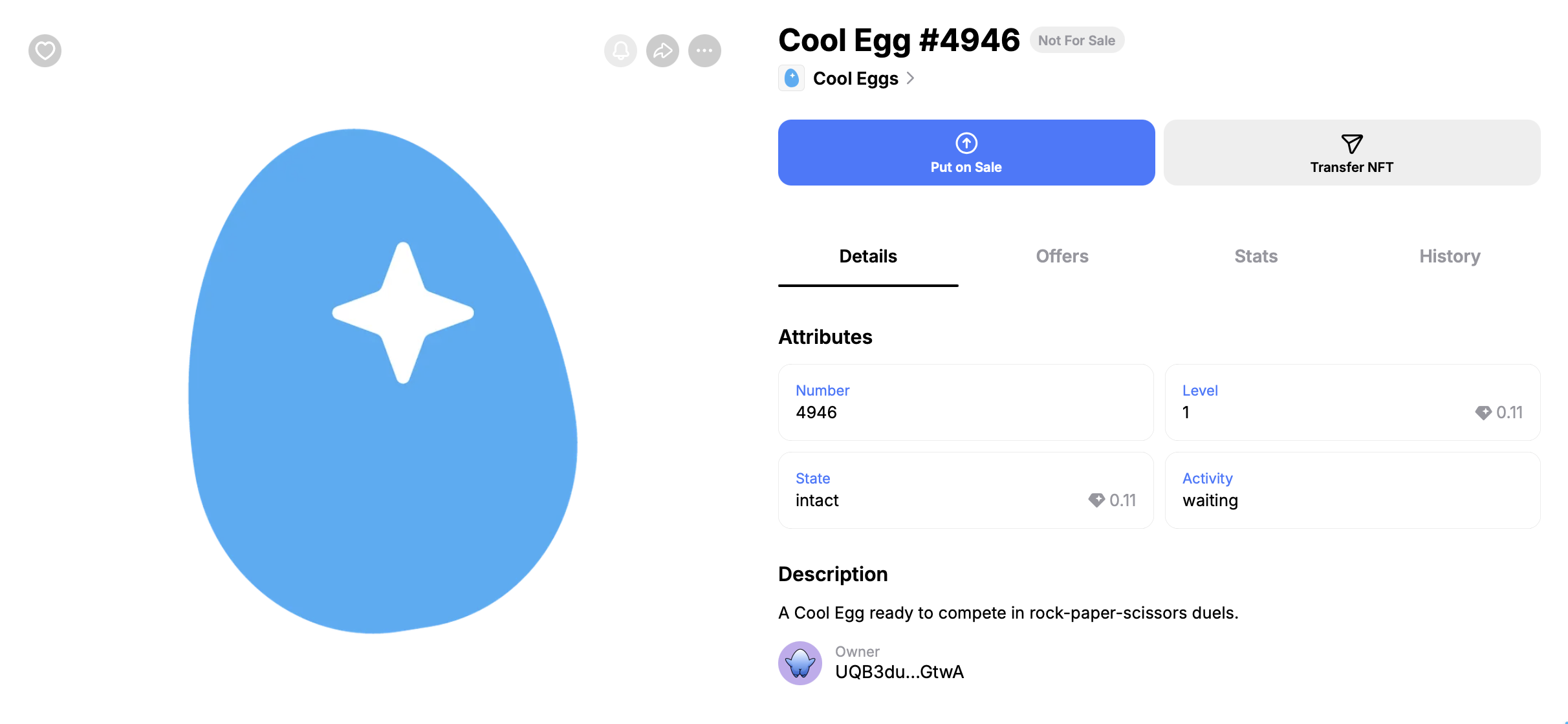
Select your Egg and click Put on Sale.
-
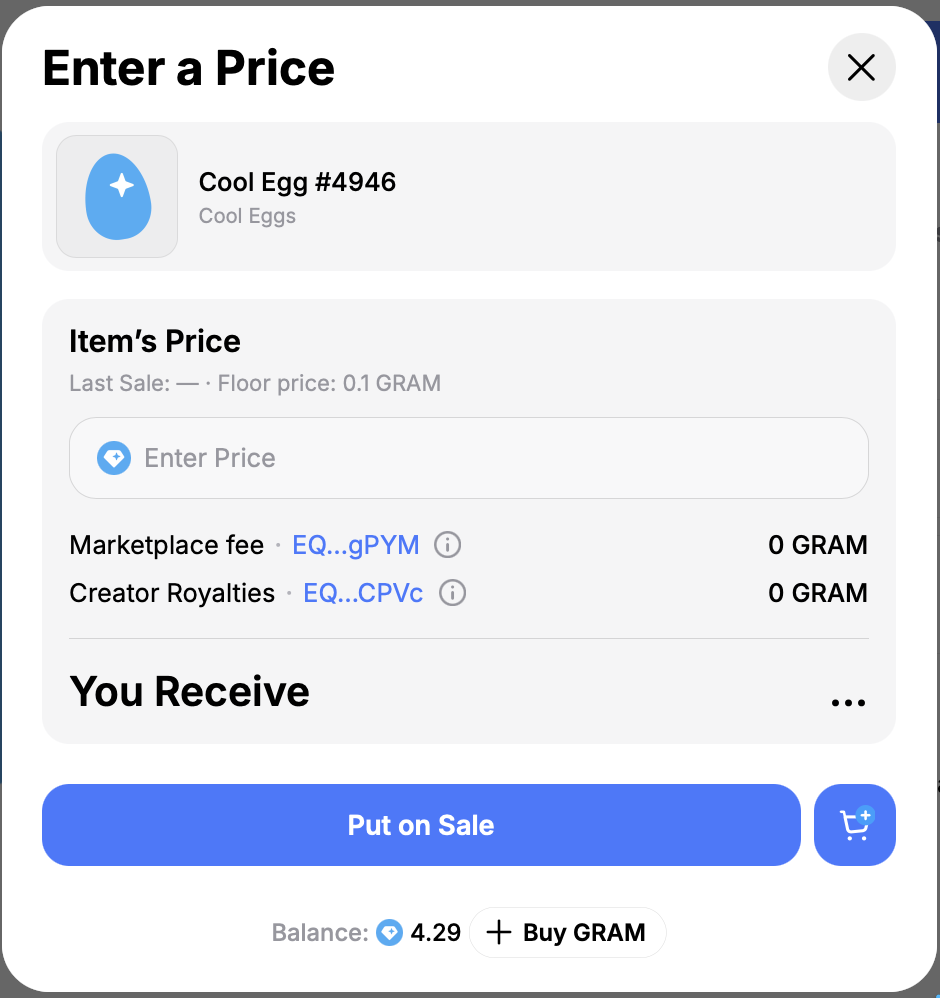
Choose Fixed Price, select an available currency and enter your price. Available currencies depend on the collection.
-
Review the price, marketplace commission, any royalties and transaction fees, then click Put on sale. Use the amounts shown in Getgems and your wallet.
-
Confirm the transaction in your wallet and wait for the listing to appear on the Egg’s page. Keep enough native coins in your wallet to cover network fees.
After listing
Your Egg is now offered for sale. Listing it does not mean someone has bought it. The sale completes when a buyer purchases it, and the Egg passes to the buyer. Remove it from sale before using it in the game again.
Remove from sale
Open the Egg’s page while connected with the seller’s wallet, click Remove from Sale, and confirm the transaction in your wallet. Wait until cancellation is confirmed and the Egg is back in your wallet before entering matchmaking.